

carlos21
KING OF REP
Yes done that.View attachment 245199
You pressed that on your controller yet?
Yes done that.View attachment 245199
You pressed that on your controller yet?

Shows a pic of your app on your box mate? I need to see what you’re using and what it looks like. Might be a clue to the issueYes done that.
Sorry for being a pain mate.View attachment 245199
You pressed that on your controller yet?
Nah it’s sound mate. Wanna help if I canSorry for being a pain mate.
Nah it’s sound mate. Wanna help if I can
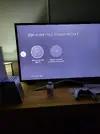
Aye, sign in then lad. I have to sign into my Amazon account before I get any of the services/apps
Why can't anything be just normal send don't it before nothing happens.Aye, sign in then lad. I have to sign into my Amazon account before I get any of the services/apps
Firestick are bloody pain nothing works properly.Nah it’s sound mate. Wanna help if I can
Can you send me a pic of your setup up please.Shows a pic of your app on your box mate? I need to see what you’re using and what it looks like. Might be a clue to the issue
Still nothing mate.Aye, sign in then lad. I have to sign into my Amazon account before I get any of the services/apps
I can't mess with it matelong press play/pause + Center button until you see Firestick Restarting.
As soon as the fire stick starts up, navigate to the settings ->my account -> Amazon account -> deregister
if the login page keeps popping up press home to get you back to the settings. Register again and this will keep all app settings without having to do a factory reset.
Sign into your amazon account again.long press play/pause + Center button until you see Firestick Restarting.
As soon as the fire stick starts up, navigate to the settings ->my account -> Amazon account -> deregister
if the login page keeps popping up press home to get you back to the settings. Register again and this will keep all app settings without having to do a factory reset.
Right got the firestick to work but no dodgy box on there.https://www.firesticktricks.com/firestick-wont-connect-to-wifi.html
Try some of the guide here as well
What was on it?Right got the firestick to work but no dodgy box on there.
Join the Everton conversation today.
Fewer ads, full access, completely free.